How to Verify an Online Pharmacy in 4 Official Steps
Google Preferred Source
Follow Premier Dream to see verified medications, guides, and pricing in your Google Search & AI results.
Step-by-step guide to verify if an online pharmacy is legitimate using NABP Safe.pharmacy, State Boards of Pharmacy, .pharmacy domains, and LegitScript.
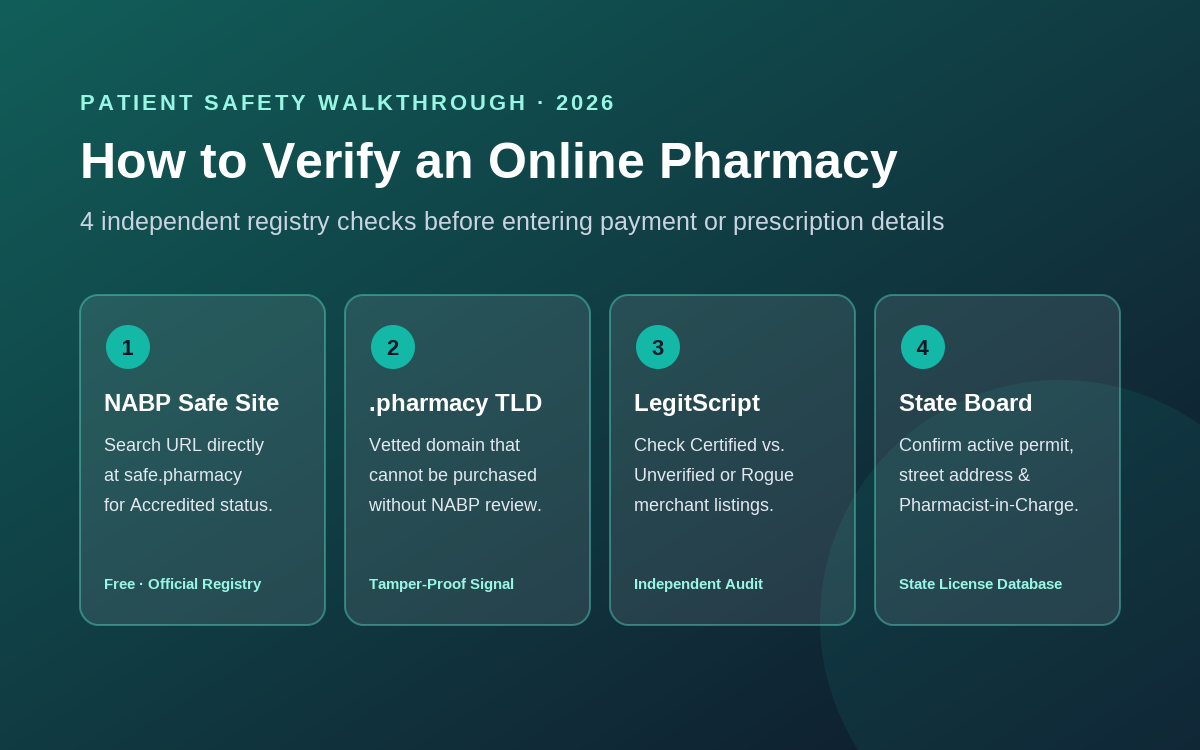
To verify whether an online pharmacy is legitimate, run four independent registry checks before sharing prescription or payment details: (1) look up the domain manually on the NABP safe.pharmacy tool, (2) check whether the site operates on a vetted .pharmacy domain, (3) confirm merchant standing on LegitScript’s free lookup portal, and (4) verify active resident and nonresident permits directly on your State Board of Pharmacy website. These four steps form the verification core of how to buy prescription drugs online legally.
Never rely on a website’s visual polish, customer testimonials, or clickable footer seals alone. Rogue drug websites routinely copy legitimate accreditation logos and link them to spoofed verification pages. The only reliable way to confirm legitimacy is to navigate directly to official third-party registries in a separate browser tab and type the pharmacy’s URL yourself.
Step 1 — Check the NABP Safe Site Search Tool (safe.pharmacy)
The National Association of Boards of Pharmacy (NABP) maintains the most widely referenced consumer database of digital pharmacies in North America at safe.pharmacy. According to NABP monitoring, roughly 95% of websites offering prescription-only medications online operate outside applicable pharmacy laws and patient safety standards.
How NABP Digital Pharmacy Accreditation (Formerly VIPPS) Works
Pharmacies earning NABP Digital Pharmacy Accreditation undergo an intensive multi-part audit covering active licensure across all shipping states, DEA registration compliance, quality assurance protocols, patient privacy safeguards, valid-prescription enforcement, and onsite facility inspections. Accreditation must be renewed regularly, making it a strong benchmark for domestic U.S. mail-order pharmacies.
Understanding “Accredited” vs. “Not Recommended” Results
- Accredited / Safe: Confirmed to meet NABP safety, licensure, and clinical standards.
- Not Recommended: Flagged by NABP for violating pharmacy law or patient-safety criteria (such as dispensing without a prescription, selling unapproved drugs, or operating without verifiable licensure).
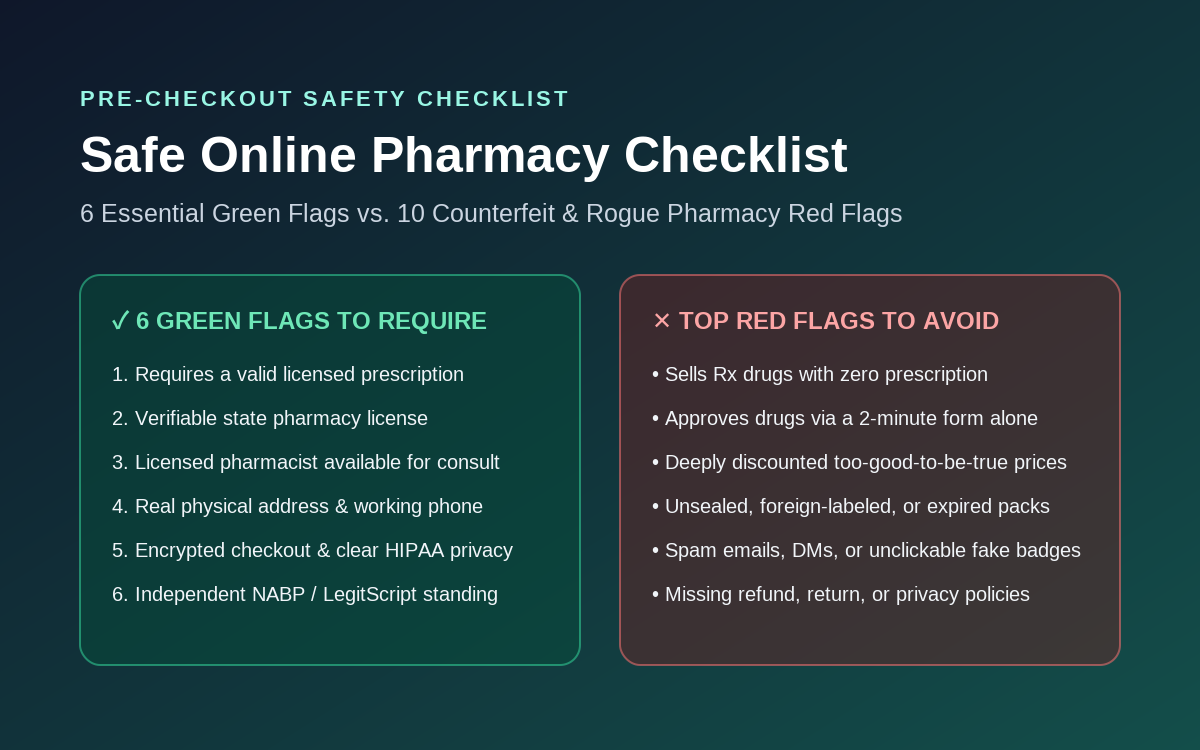
- Not Listed: The domain has not yet been reviewed by NABP. A “not listed” result does not automatically prove fraud, but it means you must complete Steps 3 and 4 carefully and apply our safe online pharmacy checklist before ordering.
Step 2 — Look for a Verified .pharmacy Domain Extension
Unlike standard .com, .net, or .org web addresses that anyone can register in minutes, the .pharmacy top-level domain (TLD) is strictly gated by the NABP. Every entity requesting a .pharmacy domain must submit business licensure, pharmacist credentials, and regulatory compliance documentation for manual verification before the domain is activated.
Because the domain registry itself enforces vetting, a genuine .pharmacy web address in your browser’s address bar cannot be forged the way a PNG seal image can. Keep in mind that many reputable licensed pharmacies still operate on traditional .com or .co domains, so the absence of a .pharmacy TLD is not disqualifying on its own—simply proceed to LegitScript and your State Board lookup.
Step 3 — Run the URL Through LegitScript’s Free Verification Tool
LegitScript is an independent healthcare merchant monitoring organization recognized by the FDA, NABP, major search engines, and payment networks to evaluate online pharmacies and telemedicine platforms.
What LegitScript Healthcare Merchant Certification Audits
LegitScript reviews corporate ownership, active pharmacy licenses in every operating jurisdiction, valid prescription workflows, prior regulatory disciplinary actions, domain transparency, and adherence to privacy and shipping regulations.
Interpreting LegitScript Statuses (Certified, Unverified, Rogue)
- Certified: Audited and confirmed compliant with LegitScript’s healthcare merchant standards.
- Unverified: Not currently certified or lacks sufficient public documentation; verify state licensing manually before proceeding.
- Rogue: Actively identified as violating applicable laws or posing serious patient-safety risks. Never submit health records or payment information to a site marked Rogue.
Step 4 — Cross-Check Your State Board of Pharmacy License Database
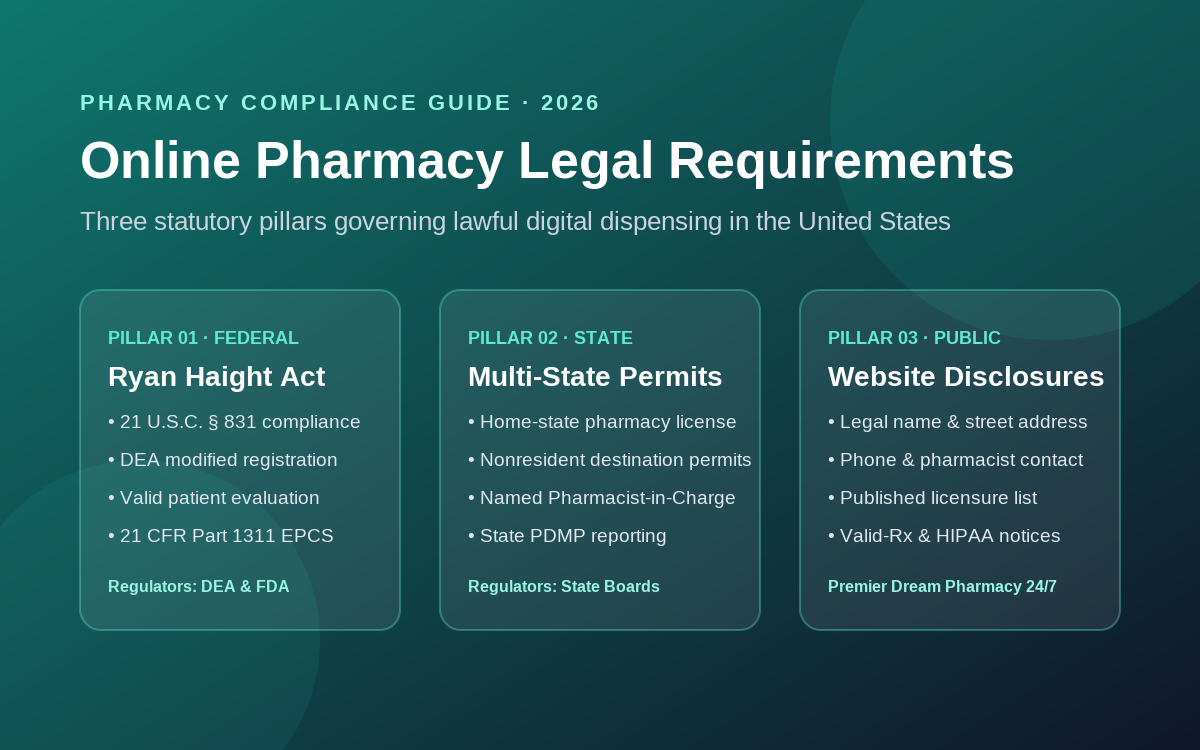
Even if a pharmacy displays a clean website and clear policies, state licensure is the ultimate legal foundation for lawful dispensing. Review our explainer on online pharmacy legal requirements to see which state permits are mandatory.
Verifying Physical Address, Pharmacist-in-Charge & Active Standing
Locate the pharmacy’s legal name, physical street address, and license number (usually found in the footer, About page, or Terms & Conditions). Open the official State Board of Pharmacy lookup directory via FDA BeSafeRx (fda.gov/drugs/besaferx-your-source-online-pharmacy-information) or NABP’s board directory, search the legal business name, and confirm:
- License status reads Active / In Good Standing (not expired, suspended, or revoked).
- The physical street address on the state registry matches the address published on the website.
- A named Pharmacist-in-Charge (PIC) is listed without unresolved disciplinary restrictions.
Confirming Nonresident License Coverage for Your Destination State
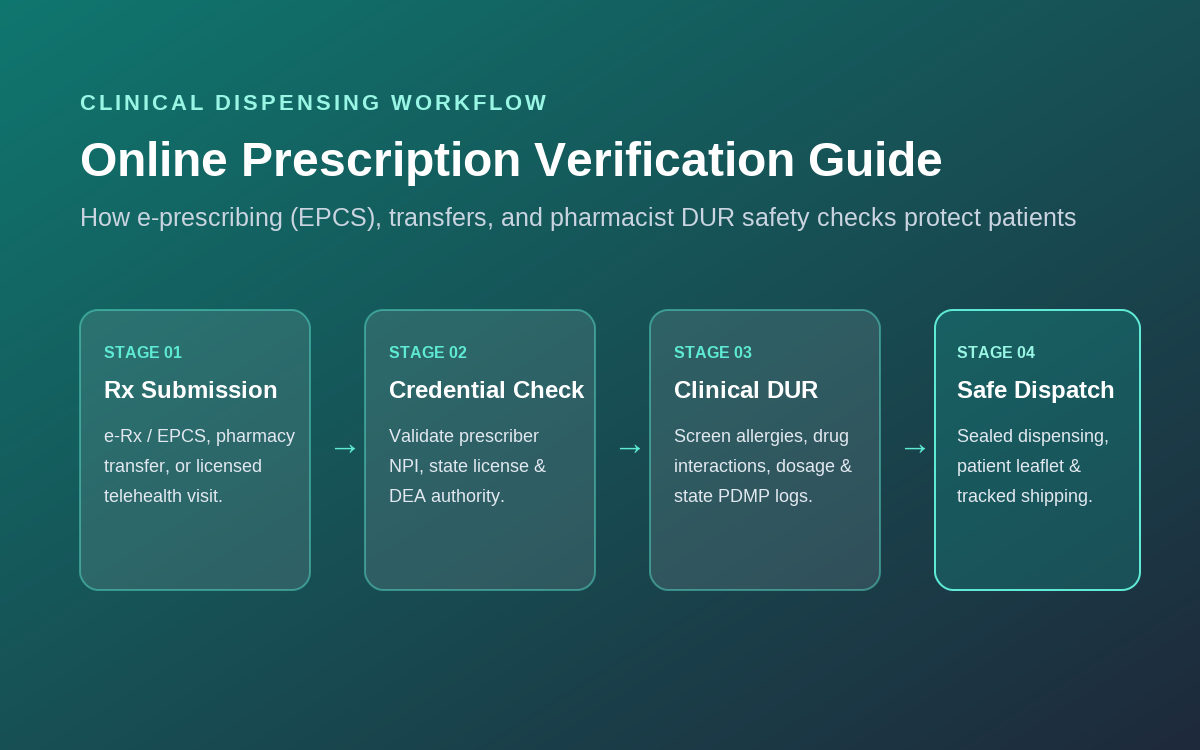
If the pharmacy is located in another state, run the exact same lookup on your own state’s Board of Pharmacy website to confirm it holds an active nonresident mail-order permit. Legitimate pharmacies will also explain their online pharmacy prescription verification steps clearly before asking for payment.
Verification Tool Comparison Table
| Verification Resource | Cost | What It Checks | Best Used For |
|---|---|---|---|
NABP safe.pharmacy |
Free | Accredited pharmacies & thousands of flagged Not Recommended domains | Fastest first-pass safety screen |
.pharmacy Domain |
Built into URL | NABP pre-vetted domain registry | Instant visual confirmation that cannot be faked via badge images |
| LegitScript Lookup | Free | Healthcare merchant certification, telehealth & rogue site status | Checking both online pharmacies and telemedicine clinics |
| State Board Lookup (via FDA BeSafeRx) | Free | Active resident/nonresident permit, street address, PIC, disciplinary history | Definitive legal confirmation for your specific state |
What to Do If a Pharmacy Fails Verification
If any website shows up as Not Recommended on NABP, Rogue on LegitScript, displays a mismatched or expired state license, or offers to sell prescription medications without a valid prescription, exit immediately without entering personal or financial details.
- Report suspicious websites: Submit the domain to the FDA Office of Criminal Investigations or FDA MedWatch (for suspected counterfeit or adverse-reaction products) and notify NABP via
safe.pharmacy. - Protect your payment & health data: If you already placed an order on a fraudulent site, monitor your financial statements, contact your payment provider regarding unauthorized charges, and inspect any received medication with a licensed pharmacist before taking a single dose.
- Compare transparent alternatives: Review our 2026 cash-pay online pharmacy comparison and return to our full guide on how to buy prescription drugs online legally to choose a compliant provider that matches your budget and location.
Dr. Sarah Lane
PharmD, Licensed Pharmacist